Skip to content
VONTEQ

Technical SEO for Magento

A well-built store is not automatically an indexable one

Magento 2 ships with defaults that produce duplicate content and burn crawl budget. These aren't programming faults — they're default values inherited by anyone who doesn't change them explicitly. Below is the list, with the exact place each one is fixed.

checks in the technical audit
30checks in the technical audit
common problems documented
17common problems documented
traffic loss accepted during migration
0traffic loss accepted during migration
weeks of monitoring afterwards
4-8weeks of monitoring afterwards

Why it matters

You can have the best-looking store on the market and still be invisible in Google.

The most expensive SEO problems in Magento are invisible to the naked eye. The store looks immaculate, works, sells — and Google sees the same products at thirty different addresses and splits the authority between them. The difference is measured in orders.

The problem you can't see

How one category becomes three thousand pages

The grid is a visual sample, not a one-to-one mapping.

1indexable URL

    The starting point

    One category, one URL

    This is where the story should end. A category page, with its products, indexed exactly once.

    1. The starting point
    2. The first filter
    3. The second filter
    4. Five filters
    5. The consequence
    6. The fix

    What Magento ships with

    Five categories of problem that almost every unconfigured store has

    Check yours against them. They're written so you can verify each one yourself, even if you never work with us.

    Duplicate content

    The most expensive category, and the least visible. The store looks fine, but Google sees the same products at dozens of addresses and splits the authority between them.

    • Canonical tags off by default

      Magento ships with “Use Canonical Link Meta Tag” set to No, for both categories and products. Without a canonical, every URL variant of the same page is treated as a page in its own right.

      We turn canonicals on for both and check in the source that exactly one tag is emitted, pointing at the correct variant — not simply at whatever page is currently being rendered.

      Stores → Configuration → Catalog → Catalog → Search Engine Optimization

    • The same product at several addresses

      With “Use Categories Path for Product URLs” enabled, a product that sits in three categories gets three different addresses. On a 5,000-product catalogue that is tens of thousands of duplicate pages.

      We drop the category path from product URLs and keep a single canonical address. The old addresses get 301 redirects, not 404s.

      Stores → Configuration → Catalog → Catalog → Search Engine Optimization

    • Layered navigation generates URLs forever

      Every filter combination — colour, size, price, brand — produces a crawlable URL. Five filters with five values each is over 3,000 addresses for one category, all with near-identical content.

      We decide which filters have genuine search demand and deserve their own pages; the rest get `noindex, follow` plus a canonical to the unfiltered category. Worthless parameters are blocked in robots.txt.

    • Pagination competing with itself

      Pages like `?p=2` and `?p=3` are frequently set to canonicalise to page one, which effectively removes them from the index along with the products that only appear there.

      Every listing page gets a self-referencing canonical. Google dropped `rel=prev/next` in 2019, so the answer is a proper self-canonical plus correct internal linking.

    • Internal search results reaching the index

      `catalogsearch/result` is crawlable out of the box. These are user-generated, thin pages, and they can reach the index in their thousands.

      `noindex` on internal search results and a robots.txt block, alongside the cart, the account area, the wishlist and product comparison.

    URL structure

    URLs are the one part of SEO that is genuinely hard to change later. A decision postponed here becomes, two years on, a redirect project.

    • The inherited .html suffix

      Magento appends `.html` to product and category URLs by default. Not wrong in itself, but changing it later rewrites every address in the store.

      We settle the suffix once, at the start. If the store already exists, we only change it with a complete 301 plan and several weeks of indexing monitoring.

      Stores → Configuration → Catalog → Catalog → Search Engine Optimization

    • The rewrite table growing unchecked

      `url_rewrite` grows with every product or category save. On large catalogues it reaches millions of rows, with stale rewrites that produce redirect chains and slow the store down.

      We clear orphaned rewrites, remove the chains — a redirect must land on its final destination, not travel through two others — and disable automatic generation where it only produces noise.

    • The same page with and without a trailing slash

      Variants with capitals, with a trailing slash, or with campaign parameters all answer 200, which means exactly that many duplicate pages.

      We normalise to a single form with 301s for the rest, and verify that tracking parameters don't create new pages.

    Metadata and structured data

    This is where a Google result gets clicked or ignored. Magento fills none of it in for you.

    • Thousands of near-identical titles

      Meta title and description fields are empty by default. Magento falls back to the product name, so a catalogue with 300 variants of the same article produces 300 titles that differ by one word.

      We build templates per product type that compose the title from real attributes — brand, model, capacity, category — and apply them in bulk. The products that matter get text written by a person.

    • Categories with no description

      Category pages are the ones that catch commercial searches, but out of the box they have no description and no text at all — just a grid of products.

      We write descriptions for the categories that matter, placed so they don't push the products below the fold.

    • Incomplete structured data

      The stock theme emits minimal structured data. Without `Product` carrying a complete `Offer` — price, currency, availability — your Google result gets no price and no stock, so it looks poorer than the competition's.

      We implement `Product`, `Offer`, `BreadcrumbList` and, where genuine reviews exist, `AggregateRating`. Every type is validated with the official tool before launch.

    • Multi-language stores without hreflang

      Magento doesn't emit `hreflang` between store views. Versions in different languages end up competing with each other instead of supporting each other.

      We add reciprocal `hreflang` between every language variant, including `x-default`, and verify each one references the others correctly.

    Crawl budget

    Google allocates every site a limited amount of time. Spend it on pages that don't matter and new products enter the index weeks late.

    • An empty robots.txt

      Magento doesn't ship a useful robots.txt. Without one, crawlers walk into the cart, the account area, the comparison tool and every filter combination.

      We write robots.txt from what is actually in the store rather than from a copied template, and check afterwards that we haven't accidentally blocked resources needed for rendering.

    • A sitemap that's incomplete or never refreshed

      Magento's generator needs cron configured. When cron isn't running, the sitemap stays frozen for months. Above 50,000 URLs it also needs splitting across files.

      We configure automatic generation, split by content type, exclude disabled products, and confirm in Search Console that the number of URLs submitted matches the number discovered.

      Marketing → SEO & Search → Site Map

    • Discontinued products answering 404

      A disabled or deleted product returns 404. Every bit of authority that page accumulated — links, history — disappears instantly.

      We set a standing rule: a permanently unavailable product gets a 301 to its replacement or to the parent category. A temporarily unavailable one stays live, with stock marked correctly.

    Speed, and how much it weighs for indexing

    Core Web Vitals is a ranking signal, but the indirect effect is larger: a slow store is crawled less often and converts the traffic it already has less well.

    • The stock theme ships over a megabyte of JavaScript

      Luma loads Knockout.js, RequireJS and jQuery before it paints any content. On a phone that routinely means a score under 40 and an LCP over four seconds.

      There is no setting that rescues this. The structural answer is moving to Hyvä, which removes the old stack entirely.

    • Unoptimised catalogue images

      Magento serves images at whatever size they were uploaded, without modern formats. A 2 MB banner becomes the single element that ruins LCP for the whole store.

      Resizing to what the layout actually needs, modern formats, and dimensions declared in the markup so nothing shifts as the page loads.

    Speed is the one category that can't be fixed from settings. There the answer is structural — moving to Hyvä. And if you carry tens of thousands of products, the problems above multiply with the catalogue: we've written separately about technical SEO on large-catalogue stores.

    How we work

    The procedure, from crawl to monitoring

    We don't fix everything at once, and we don't change several risky things on the same day. Otherwise there's no way to tell which change produced which effect.

    1. Week 1

      A full crawl, and a reality check

      We crawl the entire store and compare the result against what Search Console reports. The gap between “what should be indexed” and “what is indexed” is the starting point of any serious audit.

    2. Weeks 1–2

      Configuration audit

      We check each setting on the list and inspect the delivered markup: canonicals, metadata, structured data, sitemap, robots. You get a document with every problem, the evidence for it, and the effort to fix it.

    3. Week 2

      A prioritised plan

      We don't fix everything at once. We order by estimated impact and risk, and you can see what gets solved on day one and what needs its own release window.

    4. Weeks 3–6

      Staged implementation

      The risky changes — URL suffix, URL structure, redirects — are done in isolation, so we know exactly which one produced which effect. The rest goes into the normal working rhythm.

    5. Weeks 6–14

      Monitoring and correction

      We watch indexing, positions and crawl errors for at least four weeks after the last change. A migration or restructure can only be judged once Google has recrawled everything.

    The checklist

    The 30 points we run on every store

    We publish it in full, deliberately. If you have a technical team, use it without us.

    Indexing

    • Canonicals active on categories and products, pointing at the right target
    • No category path in product URLs
    • Filters with no search demand: noindex, follow
    • Pagination with self-canonicals, not canonicals to page one
    • Internal search removed from the index
    • Cart, account, wishlist and comparison blocked
    • No orphan pages: every active product has at least one internal link

    URLs

    • Suffix decided and consistent across the store
    • 301s with no chains, landing on the final destination
    • Rewrite table cleared of orphaned entries
    • One canonical form: no duplicates from capitals or trailing slashes
    • Campaign parameters don't generate new pages

    Content

    • A unique meta title on every indexable page
    • Meta descriptions written, not generated from the first paragraph
    • One H1 per page, describing that page
    • Descriptions on the categories with commercial potential
    • Alt attributes on catalogue images
    • Product copy of your own, not the supplier's

    Structured data

    • Product with a complete Offer: price, currency, availability
    • BreadcrumbList on categories and products
    • AggregateRating only where genuine reviews exist
    • Organization and WebSite, declared once per site
    • Validated with the official tool, with no errors

    Infrastructure

    • Sitemap generated automatically, split by type
    • The sitemap count matches what Google discovered
    • robots.txt written for this store, not copied
    • Reciprocal hreflang between every language version
    • A standing rule for discontinued products
    • HTTPS everywhere, with no mixed resources
    • Core Web Vitals green on field data, not just lab data

    Stores we look after

    Magento 2 in production, not in a slide deck

    The same principles applied to live stores. Open them and check them with whatever tool you like.

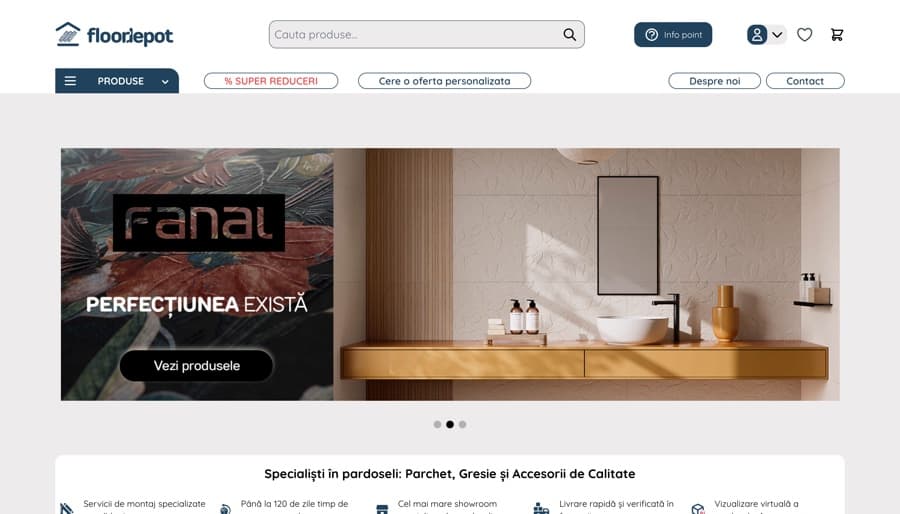
    • Pagina principală a magazinului Floor DepotMagento 2 + Hyvä

      Flooring and finishes

      Floor Depot

      A retailer of wood flooring, tiles and accessories, with a physical showroom and a catalogue where customers compare materials before ordering.

      • Large catalogue with technical attributes
      • Custom quote requests
      • Showroom and online in one operation
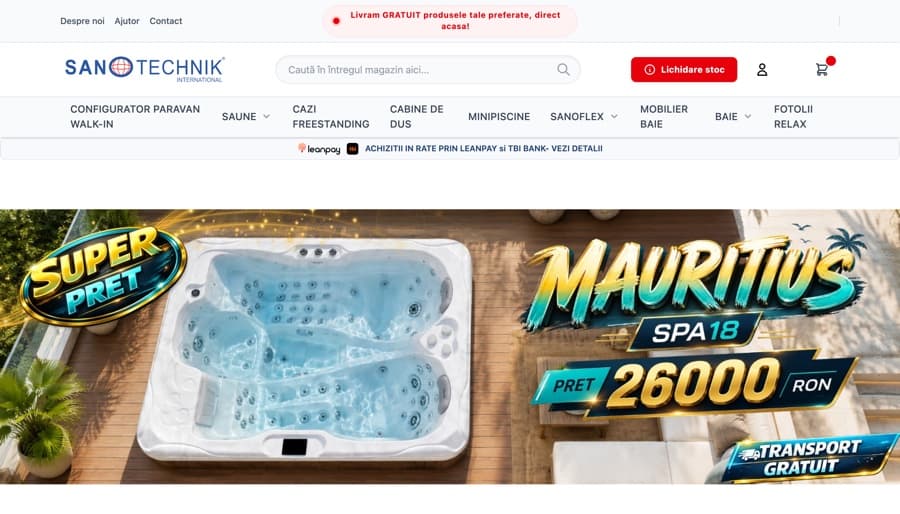
    • Pagina principală a magazinului SanotechnikMagento 2 + Hyvä

      Bathroom and wellness equipment

      Sanotechnik

      Saunas, baths, shower cabins and small pools — high-value products where the customer configures before buying and frequently pays in instalments.

      • High average order value
      • Instalment payment integrated
      • Products with complex configuration
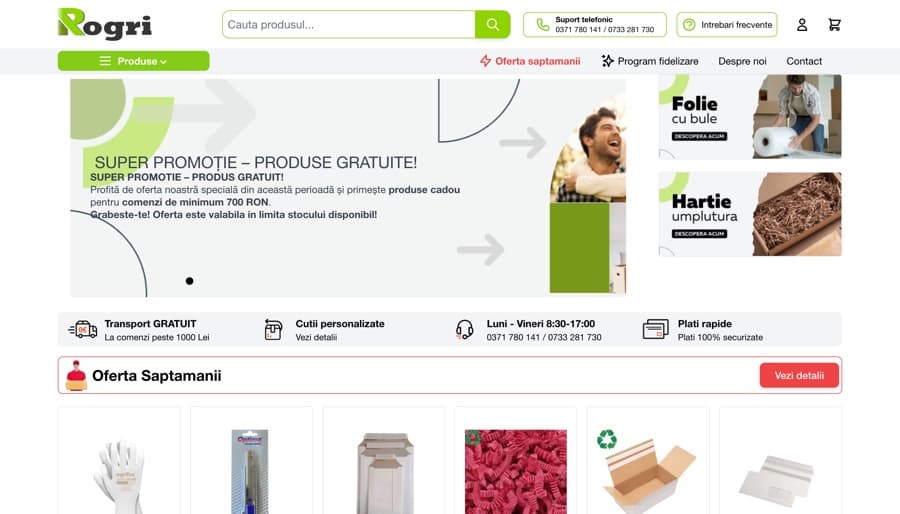
    • Pagina principală a magazinului RogriMagento 2 + Hyvä

      B2B packaging

      Rogri

      Packaging, boxes and courier consumables, sold mainly business-to-business: repeat orders, large quantities, loyal customers.

      • B2B repeat ordering
      • Large catalogue of consumables
      • Quantity-based pricing

    All four run Magento 2 with Hyvä, verifiable from the store's own source. Run PageSpeed on any of them.

    I want this

    Frequently asked

    What merchants ask us about Magento SEO

    If your question isn't here, call us. We answer the ones other agencies would rather avoid.

    • Indexing fixes show in Search Console within two to four weeks, as Google recrawls. The effect on traffic and sales usually appears between the second and fourth month, depending on catalogue size and how often the store gets crawled.

    Want to know what your store's problems are?

    Send us your store's address. We'll tell you what a first pass finds — concretely, with the evidence for each problem.

    Offices
    Headquarters — Bucharest
    Strada Samuil Vulcan 12D, Bucharest, Romania
    Sales office — Dubai
    46 Al Marsa St, Dubai, UAE

    By submitting this form you agree to our privacy policy.